

Table of Contents
- Why Custom Invitation Design Online Feels So Hard
- Online Invitation Design Tips That Actually Help
- Invitation Design Tools: What to Look For
- Frequently Asked Questions
Last Updated: October 8, 2026
Why Custom Invitation Design Online Feels So Hard
Custom invitation design online feels hard because most tools hand you a blank canvas and call it freedom, leaving you scrolling hundreds of templates and second-guessing every font.
At The Invite Lady, we've watched this since 2009. The problem isn't you, most platforms were built for designers, not for someone who just wants a beautiful invitation before the RSVP deadline.
Most guides call it a skill gap. It's a decision gap: face 400 templates with no guidance and your brain freezes.
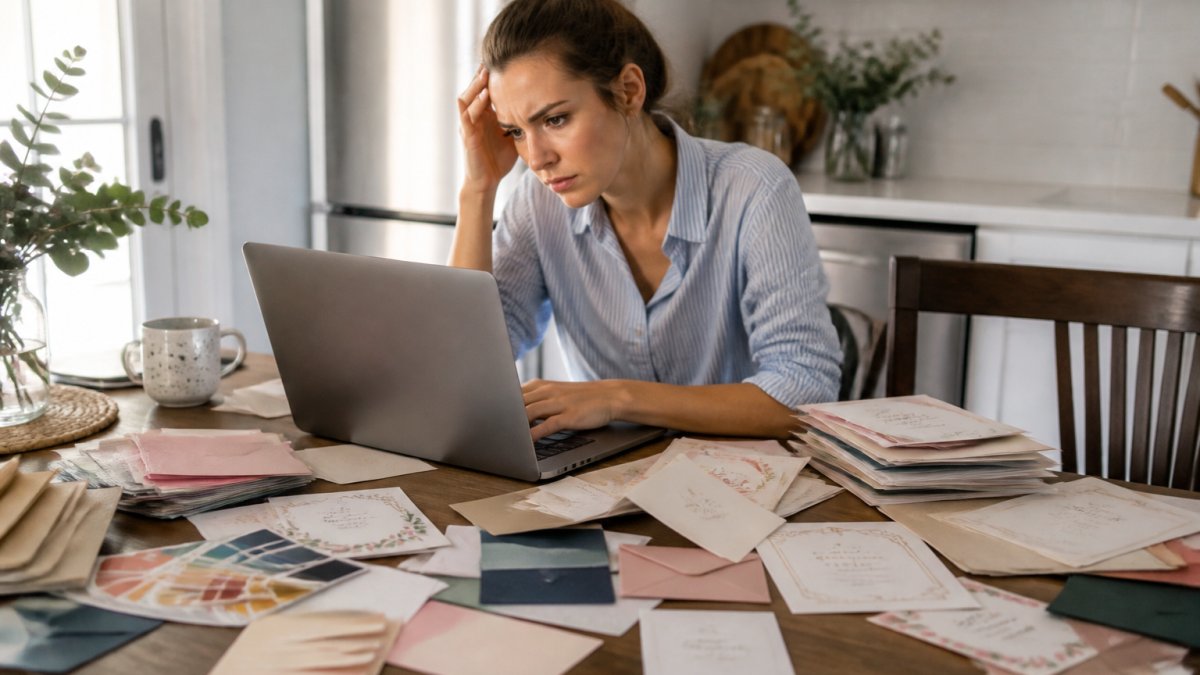
The technical side trips people up too. Bleed, CMYK, and vector go unexplained, and a file that looks perfect on your phone can print with chopped edges or muddy colors.
A few habits change everything: pick your template then stop browsing, use two fonts maximum, keep 3-5 colors, check text against margin lines, and proofread on paper before you order.
Online Invitation Design Tips That Actually Help
Good online invitation design tips reduce decisions instead of adding them. Write your wording first, names, dates, venue, RSVP details, so you don't redesign the layout five times.
Draft it in a plain document, then paste it in. This one step saves hours.
Match the tone to the event: a graduation party can be playful, while a Baptism or First Communion calls for something softer and more formal, often including the church name, the child's full name, and the sacrament.
Digital invitations vs. printed invitations is the next fork. Digital arrives instantly; printed carries weight, people pin them to fridges and keep them in scrapbooks. For milestones, many families send printed invitations and use digital reminders for details.
| Format | Best For | Turnaround | Keepsake Value |
|---|---|---|---|
| Printed | Weddings, Baptisms, milestone birthdays | Plan 2-4 weeks | High |
| Digital | Last-minute events, large guest lists | Same day | Low |
| Hybrid | Big events needing RSVP tracking | Plan 1-2 weeks | Medium |
Invitation Design Tools: What to Look For
The right invitation design tools remove friction instead of adding features. Judge platforms on four things: how fast you can start, how clear the editing screen is, whether you can order small quantities, and how easy it is to fix a mistake.
Questions to ask before committing: Can I order just the number I need? Does the editor show bleed and margin guides? Can I export a print-ready file, or does the platform handle printing? What happens if there's a typo after I order?
That last one matters most: a real person on support email fixes problems fast; a chatbot loop does not.
We built The Invite Lady around these pain points. Order per card, so 15 baby shower invitations won't force a bulk order. You get personalized printed and digital options, many themes, and a team helping families celebrate since 2009, no design degree required.
Ready to skip the frustration? Browse our invitations and see how simple custom design can feel.
Frequently Asked Questions
Why is it so difficult to design an invitation online?
Most online design tools assume you already know what you want. They give you a blank canvas and hundreds of templates, but no guidance on layout, typography, or visual hierarchy. Decision paralysis sets in fast. Add in technical hurdles like bleed lines, CMYK color modes, and resolution requirements, and it becomes overwhelming for anyone without a design background.
Should I send digital invitations or print them?
It depends on your event and your guests. Digital invitations work well for casual gatherings and last-minute changes. Printed invitations set a formal tone and give guests something tangible to display. Many hosts choose printed for milestone events like baby showers, weddings, and graduations, then use digital for reminders or updates. You can also offer both to accommodate different guest preferences.
Designing invitations shouldn't feel like a second job. If decision paralysis, confusing software, or rigid minimums have stalled your plans, The Invite Lady is here to help. We offer per-card ordering, personalized printed and digital invitations, and a wide range of themes for every celebration. Get started with The Invite Lady and send invitations you're proud to share.